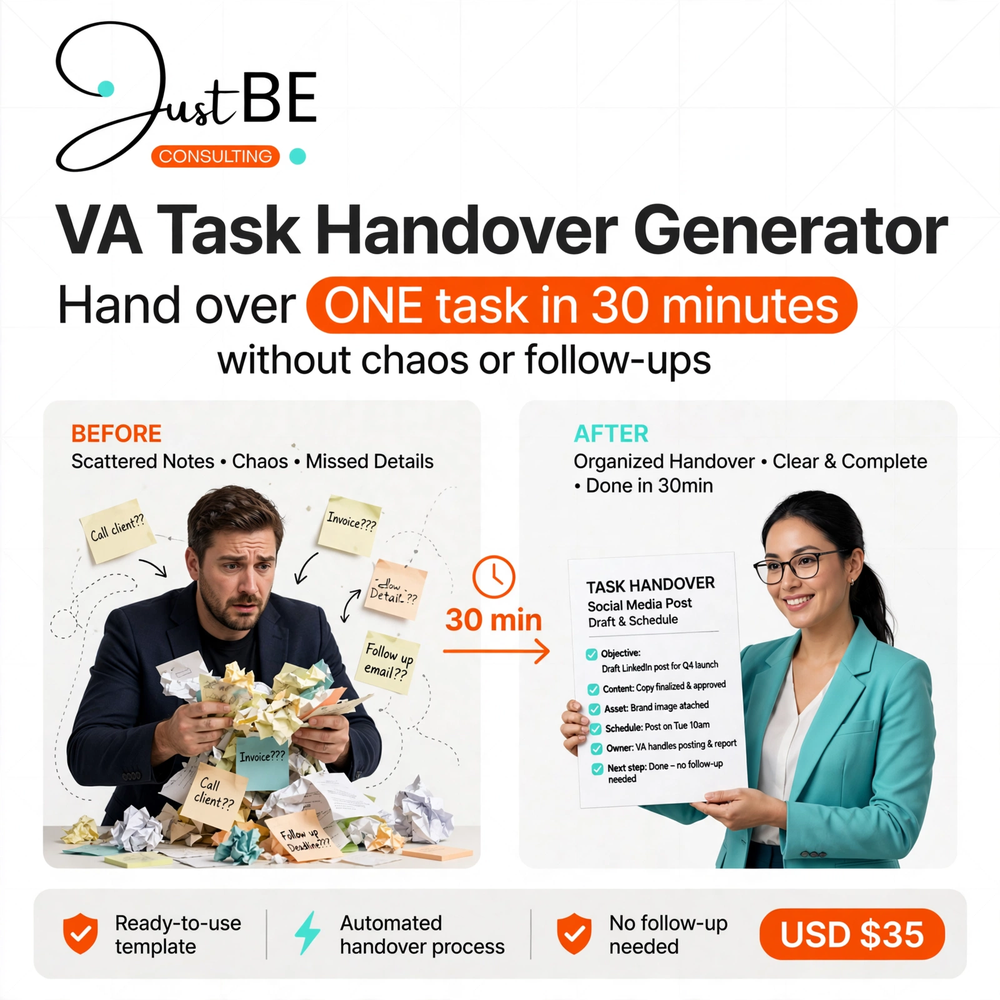
VA Task Handover Generator | What needs to be done, who must do it, and what does successful completion look like?

$35

Make task delegation clearer.

Use this downloadable VA Task Handover Generator to capture the task details, instructions and expectations your virtual assistant or freelancer needs before getting started.

Description

Delegate with clearer instructions—not another long back-and-forth.

The VA Task Handover Generator gives you a structured starting point for documenting a task before you pass it to a virtual assistant, freelancer or support team member.

The problem this tool helps address

When task instructions live in your head, delegation can lead to missing information, repeated explanations and uncertainty about what “done” looks like. A written handover helps bring key details together in one place.

Who it is for

  • Business owners preparing to delegate a defined task.
  • Founders working with a virtual assistant or freelancer.
  • Small teams that want a repeatable way to brief delegated work.

What’s included

  • Interactive PDF
  • Quick-start PDF

This is how you use this tool:

  1. Choose the task you want to delegate.
  2. Complete the relevant handover fields in the document.
  3. Check that the instructions, inputs and expected result are clear.
  4. Share the completed handover with the person responsible, using your normal secure work process.
  5. Review and update the handover when the task changes.

What you can work towards

A clearer, more consistent starting point for explaining a task and communicating expectations. The template supports your process; the quality of the result still depends on the information you provide and how the work is managed.

The VA Task Handover Generator can document a wide range of everyday online business activities.

Here are five practical examples:

  1. Social Media Content Creation & Scheduling
    Example task: Prepare and schedule a week’s worth of social media content.
    The VA receives the content calendar, brand guidelines and promotional information, creates five social media posts with captions and graphics, submits them for approval and schedules the approved posts on the designated platforms.
  2. Website Content & Product Updates
    Example task: Add a new digital product to a WooCommerce store.
    The VA uploads the supplied product description, images and pricing, adds the relevant product categories, completes the provided SEO fields, checks the product page and submits it for final approval before publication.
  3. Email Marketing & Newsletter Management
    Example task: Prepare and schedule a monthly customer newsletter.
    The VA uses the supplied newsletter content and email template, adds relevant images and links, checks formatting, selects the approved mailing list, submits a test email for approval and schedules the final campaign.
  4. Customer Enquiries & Administrative Support
    Example task: Process and track incoming customer enquiries.
    The VA checks the designated business inbox daily, categorises incoming enquiries, responds to routine questions using approved templates, records enquiry details in the tracking sheet and escalates anything requiring the business owner’s attention.
  5. Lead Research & CRM Management
    Example task: Research and capture 20 potential business leads.
    The VA identifies 20 potential clients matching the supplied target customer profile, researches their business and publicly available contact information, records the findings and source links in the CRM, categorises each lead and flags suitable prospects for follow-up.

Make every handover task-specific

These examples are starting points, not fixed instructions. Each task should be documented with its own objectives, required inputs, tools and access, step-by-step instructions, deadlines, quality checks, reporting requirements and definition of successful completion.

The more clearly you document the process, the easier it becomes to delegate consistently, reduce unnecessary back-and-forth and build repeatable business workflows.

Frequently asked questions

What do I receive?

The intended files are an interactive PDF and a quick-start PDF. 

Is this a software application?

It is presented as a downloadable working document, not as a hosted software application.

Who is it for?

Business owners preparing to hand tasks to virtual assistants, freelancers or support team members.

How will I receive it?

After a successful payment, WooCommerce will provide the download link. 

Ready to get started?

Add this tool to your digital resource library and use it to bring more structure to your delegation process. Select Add to Cart to purchase.

Attribute name

Value

Format

Interactive PDF + PDF quick-start

Product type

Digital download

Use case

Task delegation and handover

Reviews

There are no reviews yet.

Be the first to review “VA Task Handover Generator | What needs to be done, who must do it, and what does successful completion look like?”

Your email address will not be published. Required fields are marked *